
|
|

There is a way to kill Spam!!! It's all there in Outlook Express ???
Highlight the Spam e-mail/ Choose Menu/Create Rule From Message/Place a tick in the boxes as below. Tip: I have had good results, from leaving the tick out of Where the From line contains People!!
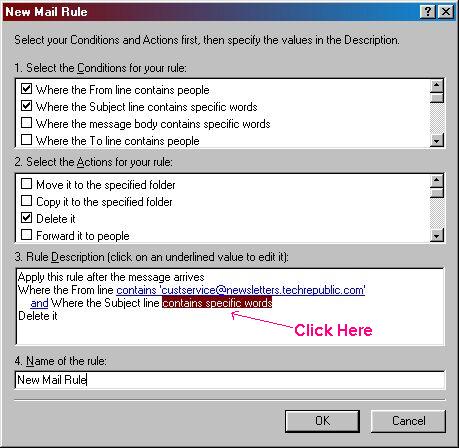
Also, in select the Action for your
rule, scroll down to delete from Server?
Next
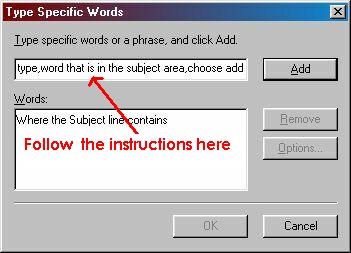
Then Choose Add
Repeat the operation, till you have added different words, that the spam e-mail has in it's Subject area. Choose OK.
Choose OK to: the rule was successfully added
You can also, type multiple words, with a comer to separate.

